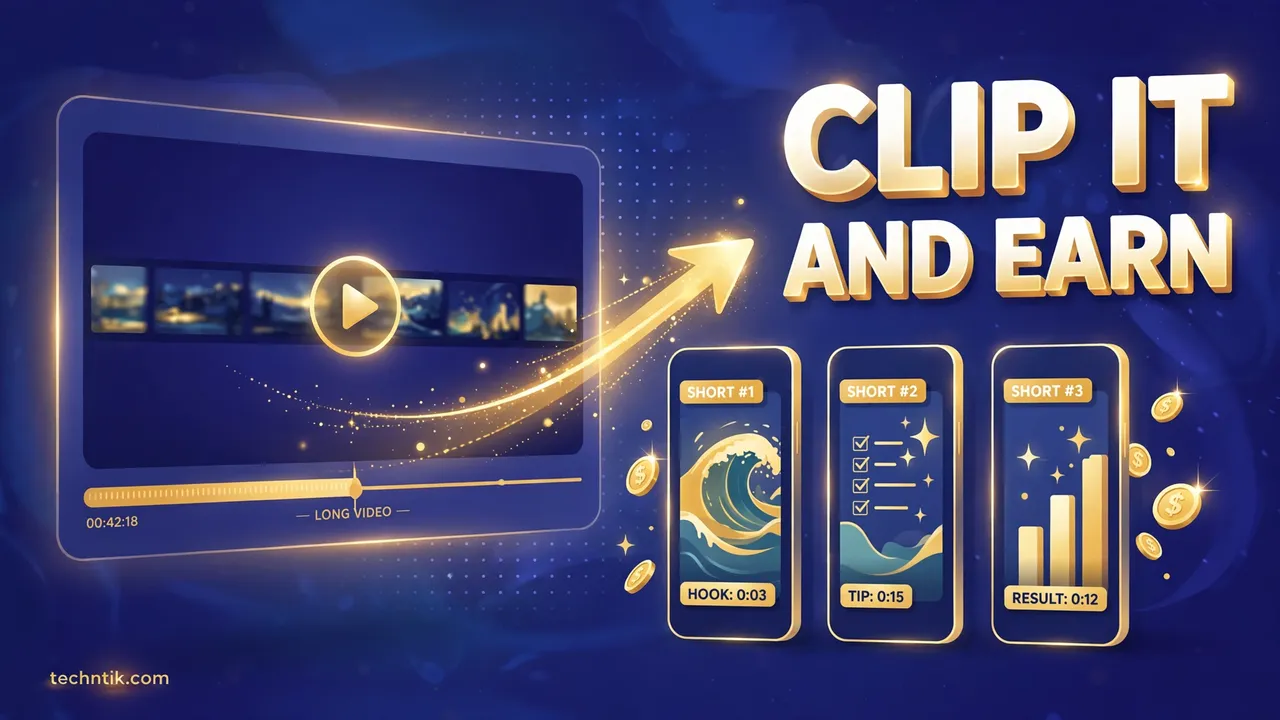
I recorded a long video once and watched it die. It took a whole evening to plan and record, got a few hundred views in two days, and then nothing. It sat on my channel like a closed shop. A few weeks later I cut the same video into short clips, and those clips kept working for me for a month. That was the day I stopped thinking of a long video as one video.
The tool I use for the cutting is Vizard. I found it by searching the Play Store and reading the official download page before I trusted it, the same habit that saved me when my phone buttons stopped working. It is free, it has no ads, and it turns a long video into short clips in under a minute. But here is the honest part: the app does not pay you. The money comes later, from the platforms, and only if you do the rest right.
The Rule That Comes Before Any Earning
The rule is simple. Only clip videos you own, or videos you have permission to use. Your own podcast, vlog, or tutorial. That is the whole list unless someone has said yes in writing.
Taking someone else’s long video and clipping it is copyright violation, and the platforms treat it that way. YouTube rejects channels for reused content when they apply for the Partner Program, and a copyright strike can land on your channel. Three strikes and the channel is gone. TikTok and Instagram do not promote reused content either.
Some podcasters do allow clip channels, sometimes with a revenue share. That is a real model, but it only works with permission. If nobody said yes, the video is not yours to cut.
I watched a friend lose a channel he had built for a year. He clipped interviews from a big podcast, the strikes came one after another, and the channel went with its subscribers.
What Vizard Actually Does
Vizard is made by a developer called Vizard, Corp. It is free with no ads, in the Video Players and Editors category, rated about 4.4 from just over 8,500 ratings, with more than 100,000 installs. It launched in April 2026, so it is still a young app.
You give it a long video, and its AI finds the best moments and cuts them into short clips. It uses scene and speech detection to pick the parts where something is being said, and the clips come out in under 60 seconds.
The clips come with auto captions in one tap, with emoji reactions and keyword highlights. You can resize them for TikTok, Reels, or Shorts, silence removal skips the quiet parts so clips feel tighter, and you can give it a topic to cut around.
Each clip comes with a viral score, a reason, a transcript, and a smart title. I treat the score as a suggestion, not a promise.
One honest limit before you install it. The Play page says exports are watermark free, but a user review says he could not remove the watermark, so that is probably part of the paid upgrade. Check the watermark on your first export before you plan a whole week around it.
How I Turn One Long Video Into a Week of Clips
The process takes about half an hour. Here is what I do.
Step 1: I pick a long video that already did well or has clear sections. One topic for twenty minutes cuts better than five topics in one video.
Step 2: I upload it to Vizard and let the AI make its clips. It usually gives me five or six. I watch each one, because the AI sometimes picks a moment that makes no sense without the sentence before it.
Step 3: I keep the three or four clips that stand on their own. A good clip has one idea and an ending that feels complete. If a clip needs the long video to make sense, I drop it.
Step 4: I add captions and pick the 9:16 size for Shorts and Reels. I read the captions once, because auto captions get names and numbers wrong.
Step 5: I post one clip a day for the rest of the week, on Shorts and Reels, and I reply to the comments. The app only does the cutting.
That is the whole routine. One long video, five or six clips, one week of posts, everything from the phone.
What the Platforms Actually Pay
YouTube pays Shorts creators through the Partner Program. You need 1,000 subscribers and either 4,000 watch hours in twelve months or 10 million Shorts views in ninety days. Ten million views in ninety days is about 111,000 views a day, every day, for three months.
And from February 1, 2027, YouTube is doubling that bar for new applicants. It becomes 8,000 watch hours or 20 million Shorts views. If you are starting now, plan for the higher number.
The pay itself is small. Shorts revenue is pooled, music costs come out first, and creators get 45 percent of what is left. The realistic rate is about 1 to 6 cents per 1,000 views. A million Shorts views is roughly 10 to 60 dollars. That is real money, but it is not a salary.
TikTok is a different story. Its Creator Rewards program is only in eight countries, and Pakistan is not one of them. You need to be 18 or older, with 10,000 followers and 100,000 views in the last 30 days, and only original videos longer than one minute earn. TikTok publishes no fixed pay rate at all. Making a UK account does not change any of this by itself.
The clips are free to make, the audience takes months to build, and the ad money is small even when the views are big. Anyone who tells you otherwise is selling you something.
Where the Real Money Comes From
If the ad money is this small, why do it at all? Because the clips are not the business. They are the road to the business.
The first real income is brand deals. A small creator with a loyal audience in one niche can earn more from one sponsored clip than from a month of Shorts ads. Brands pay for trust, not views, and short clips build trust fast because people see your face every day.
The second is affiliate links. A link in your bio can earn a small amount on every sale, but only if you recommend things you actually use.
The third is traffic. This is my own model. My short videos send people to my website, where they read articles, and the website earns from ads. The clips are free, the website does the earning, and the two feed each other.
None of these pay on day one, but all of them pay more than Shorts ads once the audience is real.
Mistakes I Made in My First Month
The first mistake was clipping someone else’s video. Just one interview clip I liked, with no permission. I deleted it the next day, but the lesson stuck: if it is not yours, do not cut it.
The second mistake was posting all the clips on the same day. I had six good clips and I wanted them all out at once. They buried each other. One clip a day works better, because each one gets its own day in the feed.
The third mistake was trusting the captions without reading them. One clip had a wrong number in the caption, and the whole comment section became about the mistake instead of the video. Now I read every caption before I post.
The fourth mistake was expecting money in the first month. I checked my earnings every day for three weeks, saw almost nothing, and nearly quit. The rule I follow before I download anything that promises money is simple: I check what it actually pays, and I decide after reading the page, not after watching a video. It is the same habit I used when I checked those data selling apps, and it has not let me down yet.
Is It Worth Doing
Yes, if you go in with honest expectations. Vizard does one job well: it turns a long video into short clips in minutes, with captions, in the right size for every platform. That saves hours, and hours are what a small creator never has enough of.
But the app is the easy part. The hard part is making long videos worth clipping, posting every day, and waiting months for an audience. The clips do not earn money. The audience does, and the audience takes time.
My long videos used to die after two days. Now each one becomes a week of short clips, and those clips keep working long after the long video is forgotten. That is why the app is still on my phone.
1 thought on “How I Make Money From Short Clips Cut With Vizard”