
Last month at a family dinner, my cousin asked to see the photos from our trip up north. I unlocked my phone, opened the gallery, and handed it over like a good host. Thirty seconds later I looked up and he was no longer in the gallery. He had drifted to WhatsApp, thumb hovering over my chats, with that famous line ready: I was just checking something.
Nothing bad happened that night, but the small drop in my stomach stayed with me. My phone keeps getting borrowed by family and friends, and every borrow comes with the same quiet worry. Not about strangers. About the people I love, who cannot resist one little peek.
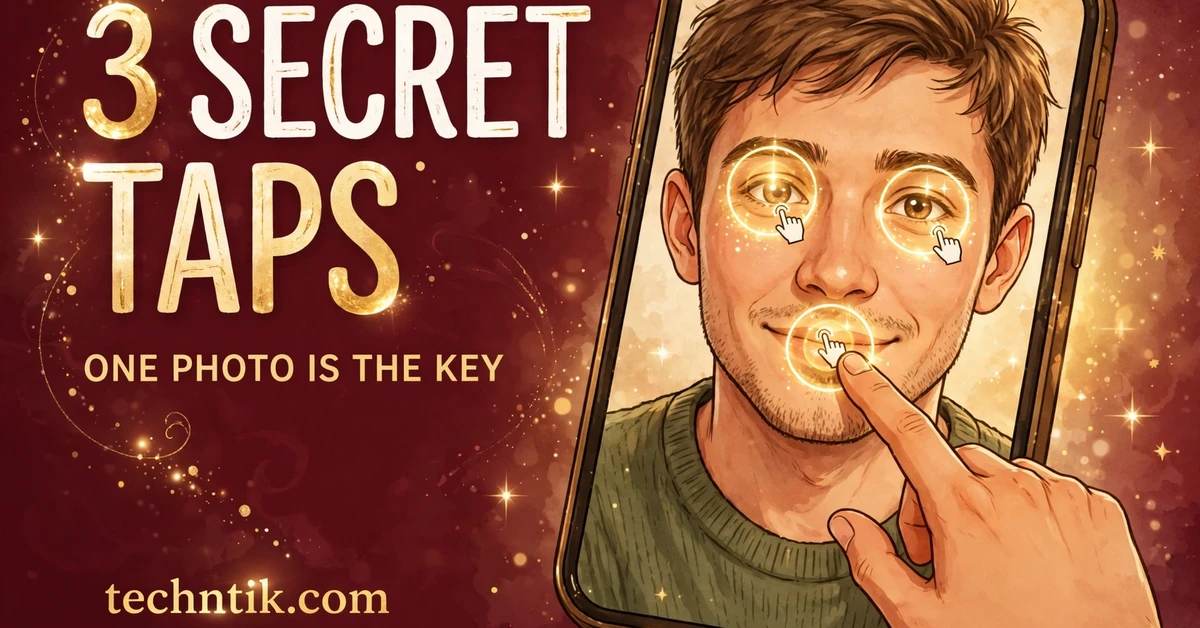
The fix I settled on is an app called Picture AppLock, made by Shagun Verma of ChaskaForYou, the same developer whose swinging photo locket app I tested on this site a while ago. It is free with ads, tiny at about 6 MB, rated 4.3 from more than 7,500 ratings, with more than a million downloads, about half a million of those in the last month alone. Its whole idea fits in one line. Your password is three secret taps on a photo only you know.
This site has become my little laboratory for unusual locks. A few days ago I spent a full week waving at my phone to run it without touching the screen, and if you missed that experiment you can still download the gesture app and read how the week went. This time the experiment is quieter, and it guards the apps instead of the screen.
A Lock That Shows Watchers Nothing At All
Every normal lock leaks information. A PIN has digits that eyes can follow. A pattern has a shape that a shoulder surfer can memorise in one look.
Picture Lock removes the show completely. When someone opens one of your locked apps, the screen fills with your chosen photo. No dots, no grid, no glowing trail. It looks like you are simply admiring a picture. You tap your three spots quietly, in order, and the app opens.
A watcher standing right beside you learns almost nothing. There are no numbers to repeat and no shape to copy, just someone touching a photograph. The developer suggests spots like a person’s eye, a tree branch, or a car tire. The password hides inside a picture full of a hundred other tappable things.
You can put it on any app you like. Messages, social media, your gallery, your email, even banking apps. Each one asks for the same three quiet taps.
I Let A Friend Watch Me Unlock, Then Gave Him The Phone
So I ran the test that matters in my house. I told a friend which photo I had picked, a busy family picnic picture, and let him stand beside me and watch me unlock my WhatsApp three times. Then I locked it and handed him the phone.
He remembered one thing, that one tap was somewhere near a face. The order escaped him, the second spot escaped him, and by the third tap he was pressing hopeful fingers everywhere. Three wrong attempts later, he gave up and laughed. The taps had looked like nothing, just a man touching a photo.
Two things made the difference. First, the photo was busy, full of faces, plates, a red cooler, trees and a gate, so every tap had a hundred neighbours. Second, my spots were spread far apart, one high, one low, one off to the side. Three taps in one corner would have shrunk his search to a small patch, and he would probably have cracked that version.
One real weakness, honestly. A casual watcher learns nothing, but someone filming your hands with a close zoomed video could pause it and study your taps slowly. This lock is built for living rooms and buses, not for enemies with cameras. If you ever suspect a recording, change the photo and the spots. It takes one minute.
Choosing A Photo And Spots That Can Actually Survive
Your photo does half the work, so pick it like it matters. A crowded family picture, a street scene, a market, a garden full of detail. A beach sky or an empty wall gives a guesser almost nowhere to be wrong.
Spread your spots across different zones of the picture, high and low, left and right. Anchor each spot to something unforgettable, your own eye in the photo, the yellow sign, the corner of the gate. You should be able to tap all three half asleep, in bright sunlight.
The app lets you adjust how exact a tap must be. Standard accuracy uses a comfortable touch radius, forgiving for tired fingers. High precision mode shrinks that area, so lucky taps almost never land, but your own rushed taps can miss too. Begin on standard. Move to high precision after a week, when your fingers know the road by heart.
Setting It Up In The Right Order
Step 1. Install Picture AppLock from the Play Store. It is free with ads, only about 6 MB, and on the store since May 2026.
Step 2. Give the two permissions it asks for, usage access and display over other apps. The lock photo must appear on top of your locked apps, so without these two, nothing can guard anything.
Step 3. Pick your photo using the advice above. Busy, detailed, full of hiding places.
Step 4. Tap your three secret spots in order, then tap them again to confirm. Slow down here. This one minute decides how the next year feels.
Step 5. Set up your rescue the same day, before you lock anything that matters. The app offers fingerprint or face recovery, so if memory slips, your finger resets the Photo PIN safely. Do not postpone it.
Step 6. Choose which apps to lock first. Start with WhatsApp, your gallery, Instagram and your email. You can add more later, once the habit feels normal.
Step 7. Set the auto lock timer. Immediate locking is safest, but a grace period is kinder daily. The app offers options like 30 seconds or 2 minutes, so hopping between apps does not mean tapping photos every time. Mine sits at 30 seconds.
Step 8. Turn on uninstall protection. Without it, a clever borrower could try deleting the lock app itself to walk around it. With it on, that shortcut closes.
Small Mistakes I Made So You Do Not Have To
Mistake one, picking a nearly plain photo. My first choice was a beach picture, mostly sky. Few details, few hiding places, and I kept missing my own third spot. I replaced it within the hour.
Mistake two, putting all three taps in one corner. Easy for me to remember, but just as easy for a watcher to corner. Spread beats clever, every time.
Mistake three, almost skipping the recovery setup. I changed my photo on a sleepy morning and picked a new tree branch, then stood at breakfast unable to remember which branch. My fingerprint saved me. Set the rescue first, always.
Mistake four, locking every app on day one. Banking, email, work apps, everything. By lunch I was tapping photos like a full time job. Start with three or four apps and grow slowly.
Read This Before You Trust It With Everything
Honesty first. Picture Lock is an extra layer, not a replacement for the lock your phone already has. Keep your system lock switched on. The phone lock guards the device when it is lost or stolen. This photo lock guards your apps in the common moment, when the phone is unlocked and sitting in someone else’s hands.
Second, keep the app updated. App history shows that an older version had a bug where the lock could stop working after some time, and the developer fixed it in the October 2026 update. Let updates reach you, and test your lock once after each one.
Third, the privacy design is right. The developer says your chosen photo, your tap coordinates and your usage history are stored 100 percent on the device, nothing uploaded anywhere. A lock app should never need your picture on a server, and this one does not take it.
If tapping a photo feels too unusual, its sibling trick lives in my earlier test, where the current time itself became the PIN. You can download that app from the clock article if a password that changes every minute suits you better. Different trick, same goal. A password that watchers cannot steal.
Would I Hand My Cousin The Phone Again?
Yes, and I already have. At the next family dinner he scrolled through the trip photos again, happily, drifted toward WhatsApp out of pure habit, and met my picnic picture instead. He tapped it twice like it owed him money, laughed, and handed the phone back. My chats stayed mine, and nobody felt accused of anything.
That is the real win. Not drama. Just comfort. I no longer hover over my own phone while it travels around the family. If your phone gets borrowed as often as mine does, the download button below takes you to the official Picture AppLock page on the Play Store. Pick a busy photo, spread your taps wide, set the rescue first, and hand your phone over without the knot in your stomach.